GUI Walkthrough
The following walkthrough is based on the Kamiwaza 1.0.0 user interface. We'll walk through navigating the Kamiwaza admin console to search for a model, download model files, and then deploy and use an inference endpoint.
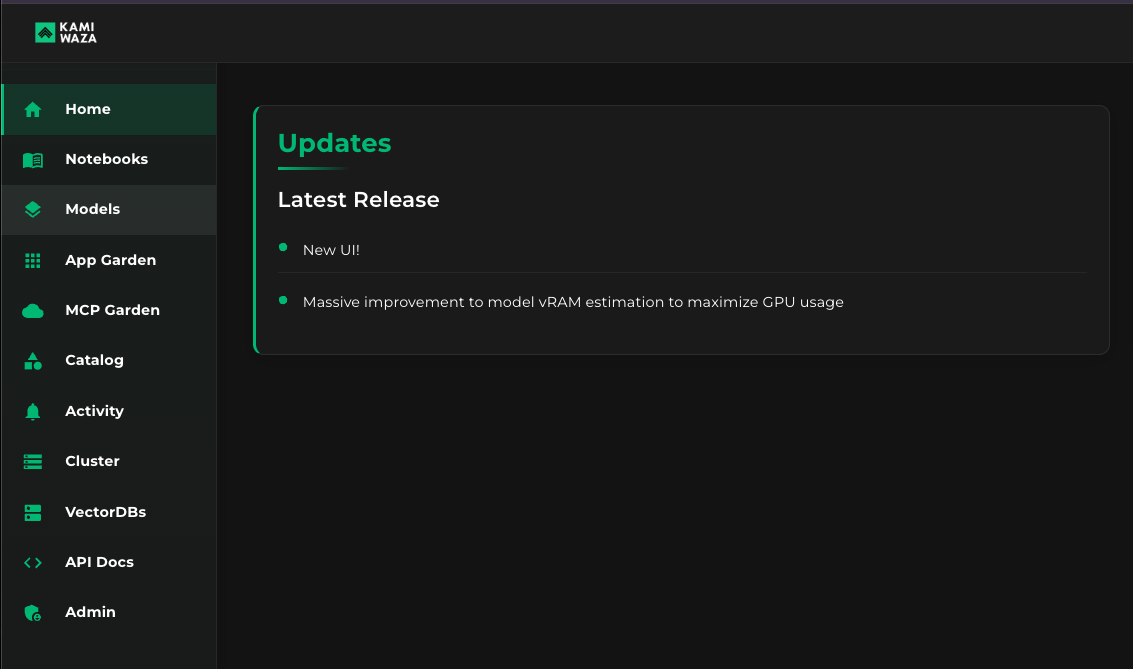
Step 1: Find and click the Models menu in the sidebar
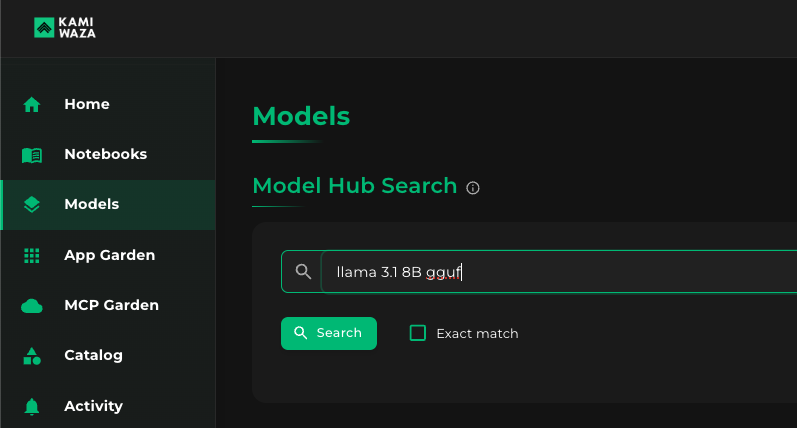
Step 2: Under Model Hub Search, type keywords for your desired model
In this example, I'm looking for a GGUF of Llama3.1 8B Instruct, so I type a few of its keywords to narrow results.
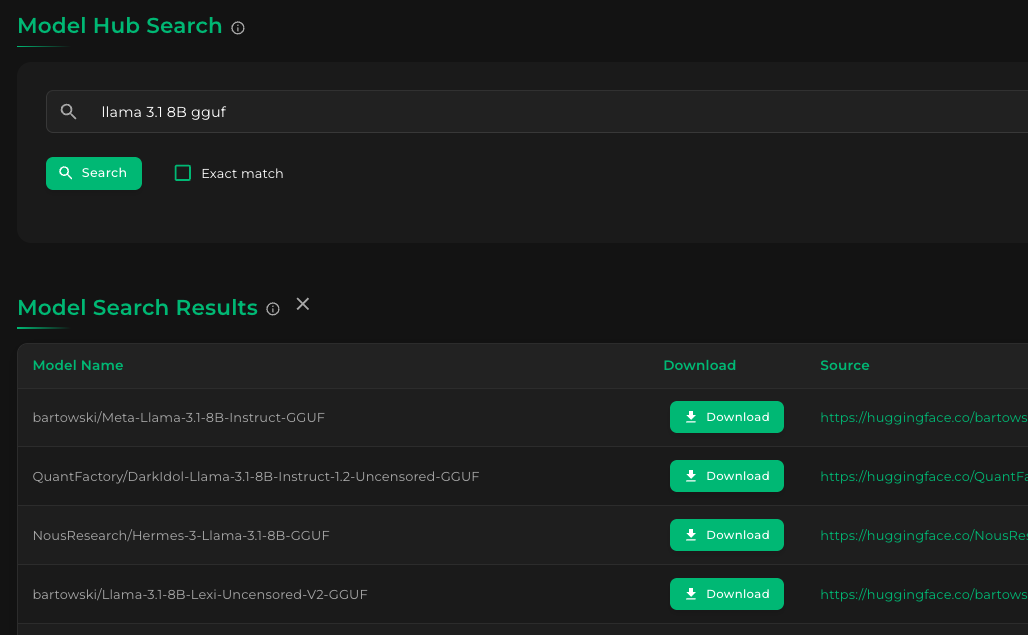
Clicking the Search button will show the results, like this:
Step 3: Download models files from chosen model
From the results, let's choose the Bartowski GGUF. Clicking the Download button for bartowski/Meta-Llama-3.1-8B-Instruct-GGUF results in the following:
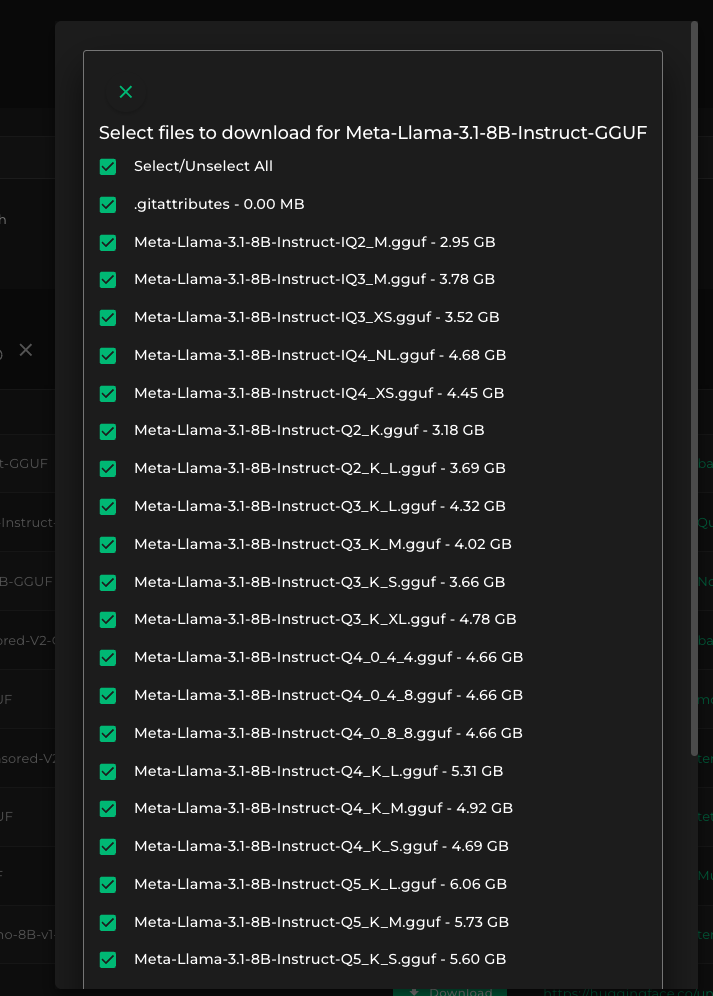
In this example, we are downloading GGUF models for a llamacpp inference engine deployment. Unlike normal Hugging Face models (safetensors), we only need to download one or a couple files - just the specific quantized model that we need.
For this example, we will uncheck everything and choose only the Q8_0 variant. Click Select/Unselect" all to uncheck all files, then scroll down and click the file marked Q8_0 (near the very bottom), and then click Download Selected Files to download the 8-bit quantized version of Llama 3.1 8B Instruct in GGUF format.
NOTE: In normal Hugging Face models (non-GGUF), we usually need to download all files in order to serve a model (safetensors, config, tokenizer, etc), hence having everything pre-checked. We'd only need to scroll down and click the Download Selected Files button.
Step 4: Check the model files after the download
After the download, your Kamiwaza models console will look something like this:
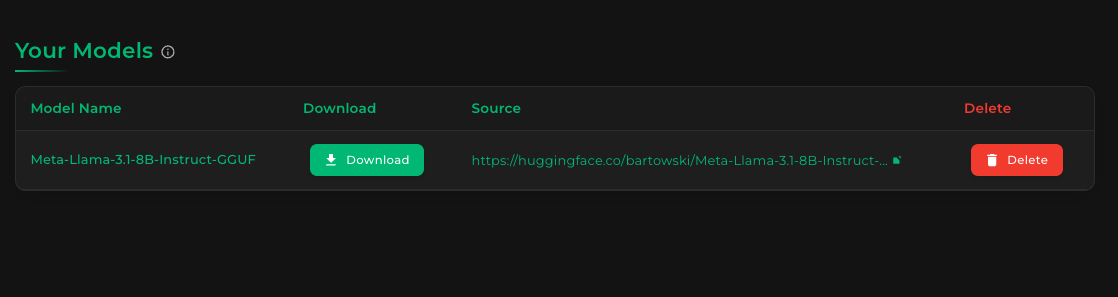
Your downloaded model is displayed. To view the specific files downloaded for this model, click the name of the model in the list. You'll see a screen that looks like this:
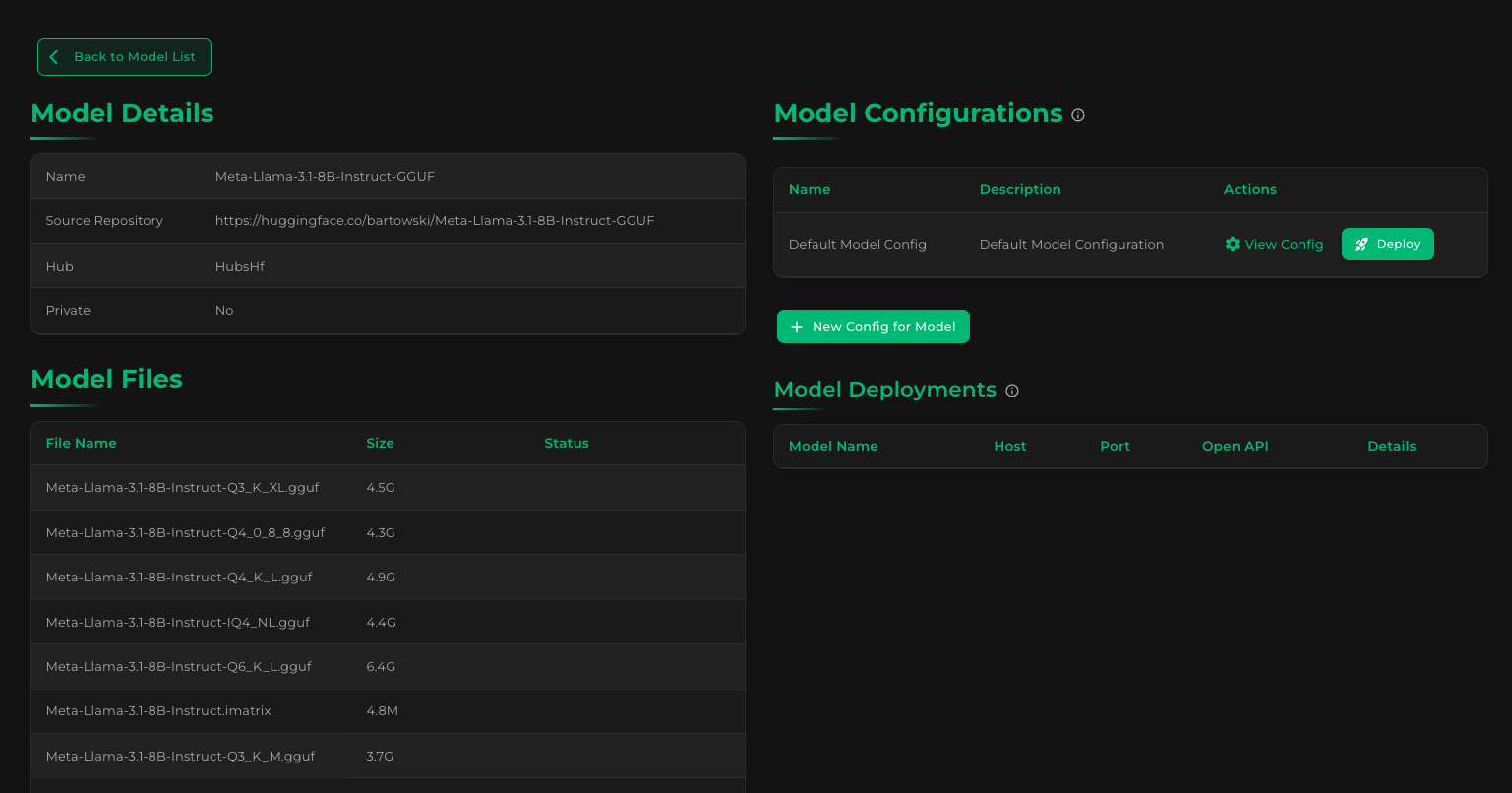
You'll notice most of the files under Model Files have an empty status, since we didn't download them. Scroll down to see if our 8-bit quantized GGUF is present, though:
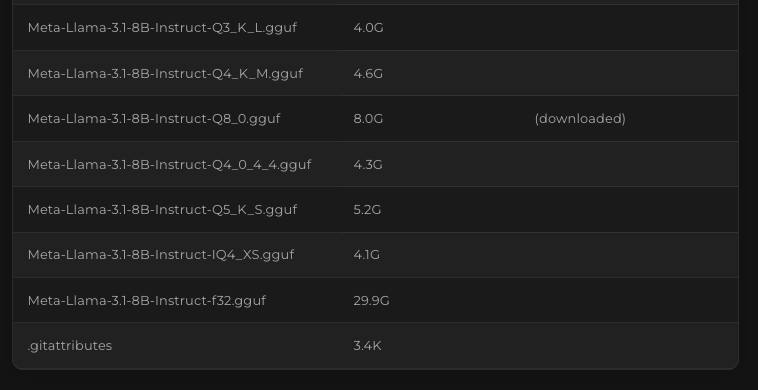
And yep, as expected, our Q8_0-quantized GGUF is there. Since it is already marked as "downloaded", that means we can deploy it already.
Step 5: Deploy a model for serving
We've already seen the Deploy button earlier, at the upper right area of the Model Details screen, under Model Configurations:
Kamiwaza creates a default config for us when we download a model, to simplify the deployment experience.
Click "Deploy" to launch an instance. When the spinner finishes, click Back to Model List to go back to the main Models screen.
Step 6: Testing the deployed model endpoint
In the main Models screen, under Model Deployments, you will see a new entry for our recently deployed Llama 3.1 8B model:
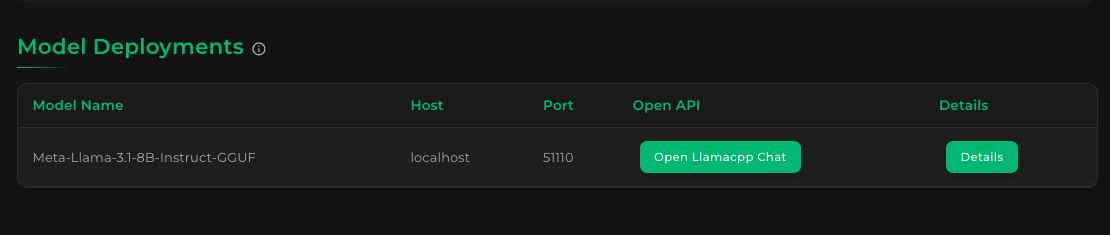
To test our model, click "Open Llamacpp Chat". Your browser will open a chat application running against the deployed model:
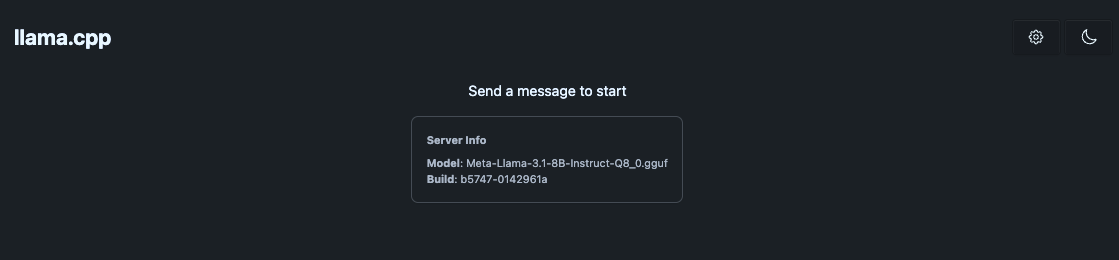
Let's send a test message to validate that our LLM endpoint is working:
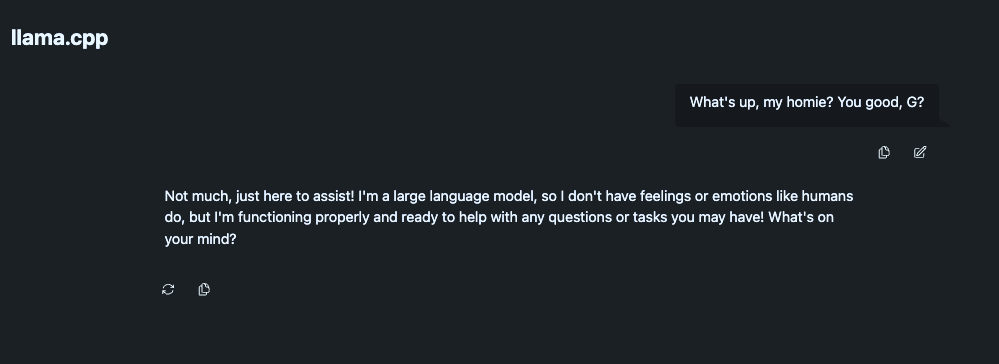
Perfect! If you see a response like that, then our inference endpoint is working as expected.
🎉 You've successfully deployed your first model on Kamiwaza! 🎉